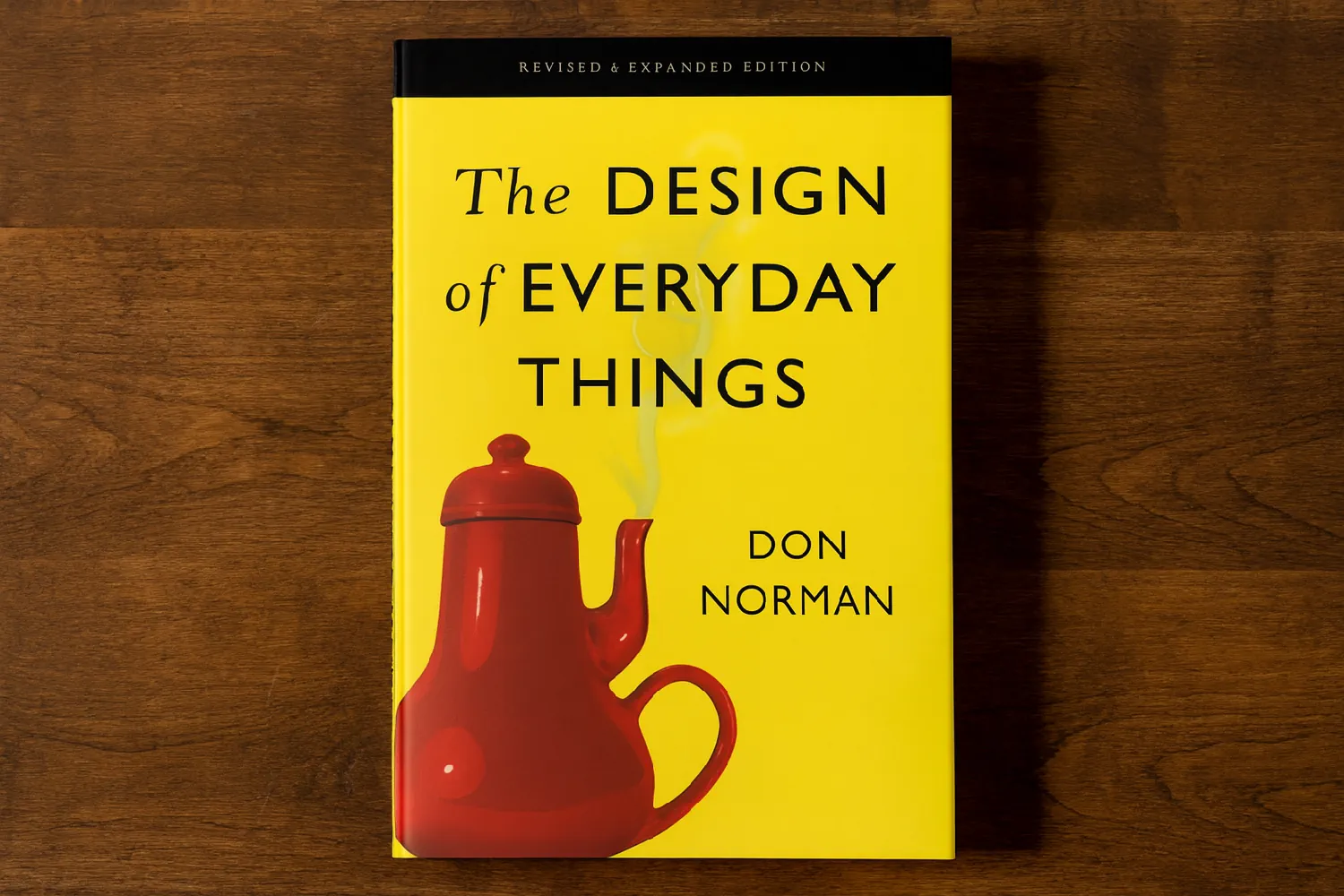
I just finished reviewing my notes on The Design of Everyday Things by Don Norman, and since it’s such a profound and timeless book on the fundamentals of design, I’ve decided to share some of its most important lessons here with you.
The first edition came out in 1988 and basically transformed how people think about design, and even inspired many people to become designers. The new version from 2013 is updated with a lot of useful info to make it more applicable to the design of today’s products, but the fundamental principles of designing for humans have stayed the same. If you’re serious about design, then it’s a must-read, and below you can get a general sense of the more impactful points made in the book.
Preface
- Good design is invisible, bad design noticeable.
- Companies and technologies will come and go, but the principles of human psychology will remain the same.
Chapter 1: The Psychology of Everyday Things
- If you are having trouble using a machine, blame the machine and its design. It’s the duty of the machine and its designers to understand people, not the other way around.
- Machines lack common sense and require us to be precise, which we are not. People will make errors. Design for the way they are, not the way you would like them to be.
- Human-centered design focuses on human needs, capabilities, and behaviors, and designs to accommodate them.
- Good design needs good communication between machine and human, especially when things go wrong. Smooth error correction feels wonderful.
- Good designers create pleasurable experiences. Even though its subjective and engineers might not like to use the term pleasure, it has immense importance.
- Even the most autonomous machines need to follow the 7 never-changing principles of design:
- Discoverability: Should be easy to figure out what it does, how it works, and what operations are possible 🡪 It’s the result of the interaction of 5 fundamental psychological concepts: affordances, signifiers, constraints, mappings, and feedback, plus conceptual models.
- Feedback: Full and continuous information on the results of actions and the current state.
- Affordances:
- Affords = Is for
- A relationship between the properties of an object and the capabilities of the agent that determines how the object could possibly be used.
- Signifiers signal the presence of affordances. The visibility of affordances is critical; for example, a flat plate on a door affords pushing.
- Tells you “what” is possible
- Signifiers
- Tells you “where” the action should take place
- People need perceivable signifiers and designers must provide them. It’s a communication of appropriate behavior.
- Profound ideas are always obvious once understood
- Mapping
- A relationship between the elements of two sets of things
- Natural mappings, i.e. using spatial analogies, leads to immediate understanding 🡪 e.g. the leftmost switch controls the leftmost light
- Related controls should be grouped together. Plus, controls should be close to what is being controlled.
- A device is easy to use when:
- The set of possible actions is visible
- The controls and displays exploit natural mappings
- Conceptual models: The design projects all the necessary info for a good conceptual model 🡪 Leads to understanding and a feeling of control. Enhances discoverability and evaluation of results.
- Constraints: Provide physical logical, semantic, and cultural constraints to guide actions and ease interpretation.
- The System Image:
- Definition: The combined info available to us about a product/service
- Carries the burden of communication, since designers can’t communicate with users directly. It needs to create a good conceptual model, which in turn makes for understandable, enjoyable products.
- Good communication is the key to good conceptual models.
- While technology has the potential to make life easier and more enjoyable, it also makes everything more complicated. That’s a big design challenge. Standards can help make the learning process easier.
- The hardest part of making a product is coordinating all the many, separate disciplines involved, each with its own goals and priorities. Keep in mind that everyone is right, and the successful product needs to meet everyone’s requirements. It’s important for the people working on it to be convinced to also view the problem from other perspectives, e.g. other teams, the buyer, the user. + The lack of clear communication among the people and organizations building parts of a system is probably the most common cause of complicated, confusing designs. Good design starts with careful observation of the tasks involved, and provides a good fit to the actual ways the tasks are performed 🡪 Task analysis in Human-Centered Design (HCD)
Chapter 2: The Psychology of Everyday Actions
- When people encounter a device, they face two gulfs, which the designer must help bridge:
- The Gulf of Execution: they try to figure out how to use it 🡪 Signifiers, constraints, mappings, and a conceptual model can help
- The Gulf of Evaluation: they try to figure out what state it’s in, and whether they achieved their goal 🡪 Feedback and a good conceptual model can help bridge it
- Both require understanding, and affect our emotional state
- The 7 stages of action:
- Goal 🡪 Form the goal 🡪 Question: What do I want to accomplish?
- Plan 🡪 Plan the action 🡪 Question: What are the alternative action sequences?
- Specify 🡪 Specify an action sequence 🡪 Question: What actions can I do now?
- Perform 🡪 Perform the action sequence 🡪 Question: How do I do it?
- Perceive 🡪 Perceive the state of the world 🡪 Question: What happened?
- Interpret 🡪 Interpret the perception 🡪 Question: What does it mean?
- Compare 🡪 Compare the outcome with the goal 🡪 Have I accomplished my goal?
- A big part of it may be subconscious, even the goal.
- Most behaviors are not performed in that exact order 🡪 e.g. you may reevaluate a goal halfway through
- Goal-driven behavior is when the cycle starts from the top. Data- or event-driven behavior is when the cycle starts from the bottom (the world).
- Through good observational skills, we can detect opportunities for product enhancement in either gulf
- Radical changes and ideas often come about by reconsidering the goal 🡪 Root cause analysis
- Root cause analysis: Asking “Why?” to find the ultimate goal in a hierarchy of goals
- When stumbling upon bad design, ask the questions of the 7 stages, and try to determine which design principles are deficient.
- The human mind is mostly subconscious—only the highest level (reflective) is conscious.
- We often use logic and reason after the fact to justify our actions.
- Thought (cognition) and emotion can’t be separated 🡪 Each can lead to the other.
- Cognition provides understanding; emotion assigns value. Emotion is essential for making decisions.
- The subconscious controls skilled behavior. The conscious mind can deal better with novel or problematic situations.
- Effects of emotional states:
- Relaxing environments bias the brain toward exploration and creativity.
- A negative emotional state provides the focus to get things done 🡪 Tunnel vision
- The 3 levels of cognitive and emotional processing in the brain:
- Visceral:
- “The lizard brain”. More or less the same for all people. Protective, quick judgment. Minimal ability to learn, and mostly through sensitization/desensitization through adaptation or conditioning. Automatic. Immediate present 🡪 No causality.
- Precursors to emotions
- In design, it’s about immediate perception 🡪 Appearances drive attraction or repulsion 🡪 e.g. sound, sight, touch, smell
- Behavioral:
- Home of learned skills + interaction. Largely subconscious.
- We are usually unaware of the details of our actions, until after they are done 🡪 e.g. speech
- In design, keep in mind that each action on this level is associated with an expectation that must be pleasantly fulfilled. 🡪 Give a sense of control rather than frustration.
- Feedback in the case of a negative result provides reassurance 🡪 Feedback (knowledge of results) is critical to managing expectations. It’s also critical to learning skilled behaviors.
- Reflective:
- Home of conscious cognition, deep understanding, reasoning, and conscious decision-making
- Slow, unlike visceral and behavioral
- Often after the events
- Often assessing causality
- Source of the highest level of emotion—which are linked to causality—such as pride, guilt, praise, and blame + Predictive decision-making
- Design deals with all 3 levels. Reflection is probably is the most important, as the resulting emotions are the longest-lasting. 🡪 Causes us to recommend a product.
- Reflective memories are often more important than reality 🡪 Vacations are often remembered positively even when our diaries say otherwise.
- Understanding is created at a mix of the behavioral and reflective levels.
- Enjoyment requires all 3 levels.
- Visceral:
- People innately try to find explanations and form stories to assign causes—often wrong ones—to events. That’s how they form their conceptual models, which are often wrong.
- On feedback:
- Without feedback, people tend to repeat the action, usually more forcefully
- Should be provided within 0.1s of an interaction
- Failures are learning experiences and are an essential part of exploration and creativity. Designers and researchers need to fail often, and take pride in it.
- Positive psychology tips for design:
- Don’t blame the users when they fail to use your product properly. Their failures are signifiers of where you can improve.
- Error messages should be replaced with help and guidance. Also, never make users start over; make it possible to correct problems directly from help and guidance messages.
- Assume what people have done is at least partially correct.
- Think positively for yourself and for the people you interact with.
- On errors:
- Human error is usually a result of poor design. They are system errors.
- System design should take into account that humans err continually.
- Make errors as cost-free as possible.
- The interaction between a person and a machine should be thought of as a collaboration, where each is trying to understand and respond to the other. When something unexpected occurs they question or ask for clarification, rather than throwing error messages.
- Put the needs of people above those of machines. Machines are precise and mechanical. People are creative and have to deal with constant interruptions.
- Minimize the chance of inappropriate actions by using affordances, signifiers, good mapping, and constraints to guide the actions.
- Good design is when things work well even when things don’t go as planned.
- On good and bad design:
- Don’t criticize unless you can do better
- Inspect well-designed products and services 🡪 A good sign is smooth and effortless interaction on the first try.
- Good design requires consideration of an entire system and its interactions 🡪 Requirements, intentions, and desires at each stage should be respected at all other stages
- Often, bad communication and collaboration between people at different stages of the deployment of a product are at fault, not the design.
Chapter 3: Knowledge in the Head and in the World
- Knowledge in the head (i.e. memory) is imperfect, and we need knowledge in the world to function well. Important for design. The designer should put enough knowledge in the device to get good performance even in the absence of previous knowledge. 🡪 While you can touch type with practice, anyone unfamiliar can still use a keyboard. 🡪 Signifiers, physical constraints, and natural mappings
- Knowledge of “how” is best taught by demonstration and best learned through practice.
- Passwords, telephone, and postal codes were designed with the machines in mind, not the people. That makes them difficult to remember.
- Use multiple sensory modalities to make different pieces of info not interfere with each other 🡪 e.g. driving is primarily visual, so a light vibration might be the best way to inform the driver that they are leaving their lane
- Memory is meaningful, not factual.
- Arbitrary things—things with no apparent relationship to one another or to things already known—are hard to remember 🡪 The alphabet
- By putting the required info in the world, you can make memory unnecessary 🡪 In traditional UIs, you have access to all the menus and can find the option you want by looking through them.
- The unaided mind is surprisingly limited. You can think of short-term memory as only having 5 slots for information, and design with that in mind. 🡪 e.g. Writing is a tech that helps with memory and accuracy 🡪 “Civilization advances by extending the number of important tasks which we can perform without thinking about them.” 🡪 Simplified models simplify thought, even when they are not 100% correct
- Knowledge in the world must be shown at the right place and time to aid memory and lead to correct behavior. It should be shown exactly for as long as the user might need it.
- Putting knowledge in the world makes it easier to use the device at first encounter. Lots of info, on the other hand, can cause clutter. The designer must strike a balance.
- External knowledge is a powerful tool for enhanced intelligence (devices/other people). Without tech and things, we can no longer function. 🡪 People + Tech = Smart (+ strong + better at surviving/living)
- The 3 ways to go about doing spatial mapping right, in decreasing order of effectiveness:
- Controls are mounted directly on the object to be controlled.
- Controls and corresponding objects are as close as possible.
- Controls are arranged in the same spatial configuration as the objects to be controlled 🡪 e.g. stove burners can be so much better if either the controls are arranged in two dimensions, or the burners are staggered so they can be ordered left to right
- It’s a form of information in the world
- Usability should be part of the purchasing process. Test everything, and don’t be afraid to make mistakes—it’s probably the designer’s fault.
Chapter 4: Knowing What to Do: Constraints, Discoverability, and Feedback
- Constraints give powerful clues as to what to do, limiting the set of possible actions:
- Physical:
- e.g. a large peg can’t fit into a small hole.
- They are more effective if they are easy to see and interpret, limiting actions before any has taken place
- The legacy problem: inelegant design stays around for so long because of the number of devices that use it, making migration hard. 🡪 e.g. it’s difficult to determine in which orientation to insert a AA battery
- A superior solution to legacy problems is to solve the fundamental need, e.g. make keyless locks that unlock via proximity to something the user carries on them, rather than making better keys and keyholes
- Cultural:
- Cultural differences can cause problems, and there’s no universal solution yet.
- Conventions are a form of cultural constraint. Violating conventions makes you an outsider, possibly a rude one.
- Semantic:
- They rely on our knowledge of the situation and of the world 🡪 e.g. a Lego motorcyclist must sit facing the front of the vehicle.
- Can change with time. The meanings of today may not be the meanings of the future.
- Logical:
- e.g. when there’s only one place left to install an unfamiliar Lego piece
- Natural mappings provide logical constraints.
- Physical:
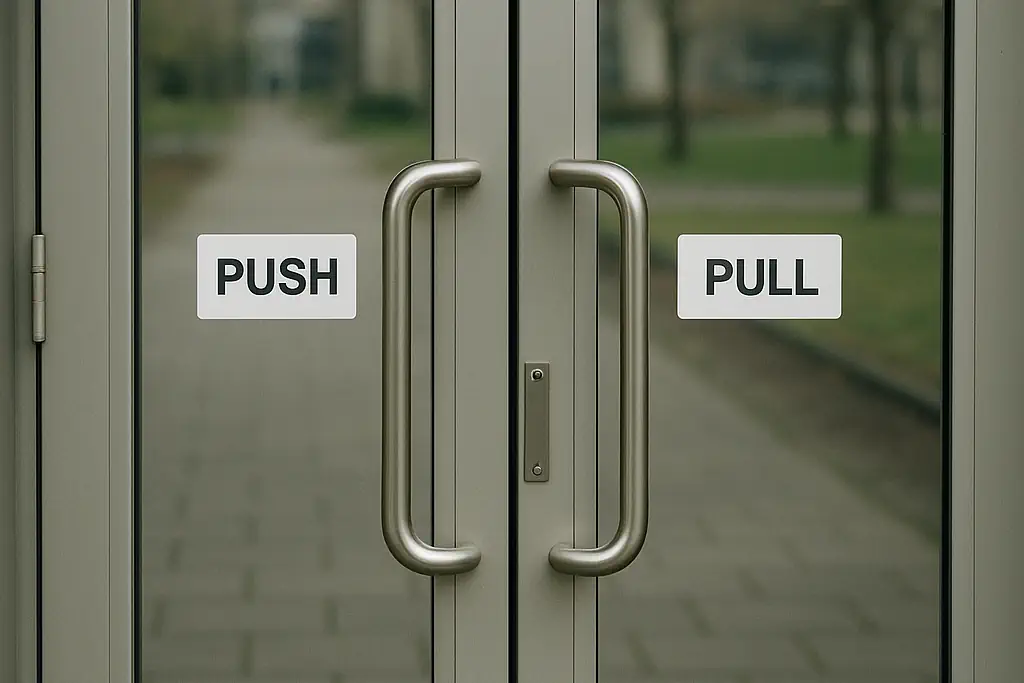
- When a device as simple as a door has to have a sign indicating whether to push, pull, or slide, it’s poorly designed 🡪 e.g. a flat metal bar is a good signifier for push, and where to do it.
- Activity centered controls give you all you need based on what you are doing at the moment, e.g. video and volume controls for presentations. 🡪 Needs to handle exceptional cases without needing to exit the activity, e.g. for tuning the lights 🡪 Always allow for manual controls
- Forcing functions:
- Definition: a form of physical constraint where failure at one stage prevents the next stage from happening.
- Strong, but not always possible to include in a design. Can also be a nuisance in normal use, and it’s the designer’s job to minimize that, or the users may decide to bypass them altogether.
- 3 kinds:
- Interlocks:
- Forces actions to happen in the proper sequence.
- e.g. Microwave ovens stop working as soon as you open the door
- e.g. Treadmills stop working when you are no longer connected to them via a string
- Lock-ins:
- Prevents people from prematurely stopping an operation
- e.g. dialog box asking whether you want to save your progress on a file before quitting the app
- e.g. jail cells
- Lock-outs:
- Prevents people from entering dangerous areas, or prevents an event from occurring
- e.g. the pin on the fire extinguisher
- e.g. protecting children by using covers for electric outlets
- Interlocks:
- Learned conventions provide valuable guidance for novel situations (e.g. you see a doorknob (the affordance) and understand the potential action). However, they may differ from culture to culture, and make it hard to change things. 🡪 e.g. the metric system is superior to the English system in many ways, yet the US refuses to switch. 🡪 In design, as a general rule, consistency should be followed to reduce friction, unless a new way of doing things is far superior to the old.
- Standardization is the fundamental principle of desperation: when no other solution appears possible, simply design everything the same way so people only have to learn once. 🡪 Simplifies life for everyone, yet hinders future development.
- Using sounds as signifiers:
- Sometimes not everything that’s needed can be made visible, and sound can provide info available in no other way 🡪 e.g. when the bolt on a door slides home.
- Real, natural sound is as essential as visual information 🡪 Artificial sounds should use a rich auditory spectrum, and provide subtle cues without being annoying
- Simple beeps can be as informative as annoying
- Privacy is hard to get right with sounds
- Electric automobiles should emit sounds to be less dangerous for pedestrians.
- Skeuomorphic design: incorporating old, familiar ideas into new tech 🡪 e.g. folders in a computer look like actual paper folders 🡪 One way of overcoming the fear of the new is to make it look like the old. Eases the transition.
Chapter 5: Human Error? No, Bad Design
- Most human errors are actually caused by bad design. We should understand mental limitations, and treat every problem the same way: find the fundamental causes and redesign the system so they can no longer cause problems.
- Why there’s error, and how to deal with it:
- The most common cause is tasks and procedures that require people to behave in unnatural ways, e.g. staying alert for hours at a time, being accurate and precise, while being subjected to multiple interfering activities. The requirements of the system and the machines, rather than those of people, are often the focus of design, and that’s the problem.
- We should determine the cause and redesign the system/procedures, rather than punish the person.
- Bad design lets you make errors. Really bad design induces you to make errors.
- Root cause analysis: Investigate the incident until the single, underlying cause is found 🡪 Finding the person isn’t enough. Plus, this approach is hard because there may be multiple underlying causes. 🡪 Toyoda’s Five Whys method: Ask why until you have found the true cause.
- Some rules may get in the way of getting work done, and may be intentionally violated. Solving it has to do with better organizational design.
- 2 types of errors:
- Slips:
- Definition: the goal is correct, but the required actions are not done properly. Subconscious.
- 2 types:
- Action-based: the wrong action is performed
- Memory-lapse: the intended action isn’t done or its results not evaluated
- Mistakes:
- Definition: the goal or plan is wrong. Conscious.
- 3 types:
- Rule-based: correct diagnosis, but the wrong rule is followed
- Knowledge-based: misdiagnosed because of erroneous or incomplete knowledge
- Memory-lapse: there is forgetting at the stages of goals, plans, or evaluation
- Costly mistakes can happen when we generalize too much based on the little info available, classifying the situation as similar to an old one when it’s not.
- Slips:
- Most everyday errors are slips. They happen to experts more than novices, because the process has become automated for them and they don’t need to pay much attention.
- Types of slips:
- Capture slips:
- Definition: Instead of the desired activity, a more frequently or recently performed activity gets done (i.e. captures the activity) 🡪 Part of the action sequences must be identical
- In design: Sequences should be designed in a way as to differ from the very start
- Description-similarity slips:
- Definition: When we act upon an object similar to the target 🡪 Correct action, wrong target
- In design: Controls and displays for different purposes must be significantly different from one another
- Memory-lapse slips:
- Can take many forms: Forgetting to do all the steps, repeating steps, forgetting the outcome of an action, forgetting the goal or plan and stopping the action
- Interruptions are the main cause
- In design:
- Minimize the number of steps
- Provide vivid reminders of the steps to be completed
- Use forcing functions 🡪 e.g. ATMs require the card to be removed before delivering the money
- Account for interruptions from outside the system, where you have no control
- Mode-error slips:
- Definition: When a device has different states (modes) in which the same controls have different meanings
- In design:
- If you need to use modes, make it obvious which mode is active
- Take into account interfering activities
- Capture slips:
- We overgeneralize the commonplace and overemphasize the discrepant.
- A misdiagnosis of the situation directs the effort at solving the wrong problem. Once that happens, it’s very hard to detect and correct.
- In any complex system, a number of elements are usually faulty. We need to somehow figure out which problems are routine, and which are significant. In retrospect, everything seems obvious, but when the incident was taking place nothing was. There was too much irrelevant info to ignore.
- Machines must be designed to collaborate with humans instead of simply fail.
- To avoid memory-lapse mistakes:
- Ensure all relevant info is continuously available.
- Goals, plans, and current evaluation of the system should also be continually available.
- Account for interruptions and assist with resuming the operations.
- Time and economic forces coupled with social pressures is a dangerous combo driving otherwise sensible people to do things they know are wrong and possibly dangerous. We need to reward safety and put it above economic pressures.
- The power of checklists:
- Proven to increase accuracy and reduce error, particularly slips and memory lapses
- Always better to have two people do checklists together: one to read the instruction, the other to execute it (essential in aviation, but needs to be employed everywhere)
- Too many checks reduces the reliability and effectiveness of checklists
- Good examples are electronic checklists that a. don’t force sequentiality b. aren’t marked as complete until everything is checked off
- On reporting errors:
- Catching errors can help avoid many of the consequent problems
- Data is essential. Thank people who report errors and encourage the reporting. Make it easy to report errors.
- At Toyota, workers are punished for not reporting errors. Once an error has been found, the entire assembly line is stopped until a team of experts figures out the root cause of the error, by repeatedly asking a series of “Why?” questions.
- A combination of affordances, signifiers, mapping, constraints, and forcing functions can constrain the operations so they are correct, e.g. forcing alignment, covering switches to prevent accidental triggering.
- NASA’s Aviation Safety Report System encourages pilots to semi-anonymously report errors they or others made. In case of punishment, the receipt of self-report greatly reduces it.
- Explaining away errors and mistakes can be costly. It’s problematic because the explanations are based on past experiences that may not apply to the current situation.
- Designing for error:
- It should not be possible for simple errors (e.g. keyboard errors) to cause widespread damage. Sensibility (common sense) checks can help. 🡪 e.g. “Are you sure you want to transfer $1,000,000?”
- Discover the causes of error and design to minimize them.
- Make it easier to reverse (undo) actions, or make it harder to do irreversible actions.
- Don’t treat the action as an error. Try to help the person complete the desired action properly. Think of the action as an approximation to what is desired.
- Experts are more likely to make slips. Beginners are more likely to make mistakes.
- Interruptions are a major source of errors, especially memory-lapse ones. Don’t rely on the user’s short-term memory. Make it easier to resume operations.
- Make warning signals noticeable, but not annoying. There should be coordination between the different systems that can give warnings.
- Use constraints to block errors:
- e.g. use size, shape, and location intelligently.
- Easily confused controls should be located far from one another.
- Preferably make controls not directly relevant to the current situation not visible on the screen and require extra effort to get to.
- Undo is possibly the most powerful tool to minimize the impact of error. It should be possible to undo an entire sequence of actions.
- Confirmations are especially necessary when the action will destroy something of importance. Prominently display both the action and the object. Undo function is important to be present. Secretly save the file to enable the user to recover it later.
- Make sure actions and controls are as dissimilar as possible. Make modes very visible and distinct. Provide clear feedback on the action being performed, on the resulting state, and enable undo.
- In the Swiss cheese model of accidents, usually many things have to go wrong for an accident to happen. Do not try to find a single cause. Add extra layers of precaution. Reduce the number of holes and make them slammer. Make the whole system more reliable, instead of finding a culprit. Use different mechanisms for the different subparts of the system, so the holes don’t line up.
- Bad approach: automate all the tasks you can and leave the rest to people, e.g. monitor the machines at all times, operate them with extreme precision.
- Human error is often simply an action that’s inappropriate for the needs of the machine. Make it easier to translate people’s goals and plans into the appropriate form for the technology. Treat is as a deficit of the technology and the machine.
- Errors are inevitable, especially due to the inherent differences of people and machines. Assume every possible mishap will happen. Make actions reversible.
- Put the required knowledge in the world. That helps beginners and expert alike.
- Assist rather than punish.
- Sometimes the person really is at fault. Still, poor design of equipment or the procedures is still the larger cause of accidents.
- A one-in-a-million risk taken by people globally can take many lives. Deliberate violations have a cost.
- Safety shows in the number of events that don’t happen. Continue to invest in anticipating change that can led to failure, and appreciate that your knowledge of the gaps is imperfect. Design systems, procedures, management, training, and internal and external communications so you can respond properly to problems as they arise.
Chapter 6: Design Thinking
- A rule in design: Never solve the problem you’re asked to solve. It’s usually the symptom. Find and solve the real, fundamental, root problem. The important question to ask: How do you know you solved the correct problem.
- A brilliant solution to the wrong problem can be worse than no solution at all.
- Unlike engineers and businesspeople who are trained to solve problems, designers are trained to discover the real problems.
- Start by trying to understand what the real issues are 🡪 Diverge and explore, rather than quickly converge upon a solution.
- The goal of human-centered design: to ensure that the result fits human needs, capabilities, and desires.
- In HCD we iterate through the 4 stages of observation, idea generation, prototyping, and testing.
- The double-diamond model of design has 2 phases:
- Find the right problem (divergence 🡪 convergence)
- Find the right solution (divergence 🡪 convergence)
- Discover 🡪 Define 🡪 Develop 🡪 Deliver
- For project managers: Encourage the designers’ free exploration, but hold them to the schedule and budget. 🡪 Deadlines make creative minds reach convergence.
- The human-centered design process:
- Observation: Research to understand the nature of the problem.
- Observe the people who will use the product (their interests, motives, true needs) in their natural environments
- The activity is the most important factor
- Design and marketing should work together in complementary teams, and both are necessary. Designers understand what people actually need (small sample, deep), and marketing understands what people actually buy (large sample, shallow).
- Idea generation: Generate potential solutions
- Is the fun part of design. Creativity is critical.
- Generate many ideas. Don’t become fixated on one or two ideas early in the process.
- No constraints. Don’t criticize even the craziest of ideas.
- Question everything. Embrace “stupid” fundamental questions, as nothing is really obvious. The obvious is often simply the way things have always been done.
- Prototyping:
- The only way to know whether an idea is reasonable is to test it.
- Quick mockups or prototypes of each potential solution.
- Done during both the problem specification phase (to ensure the problem is well understood) and the solution phase.
- Testing:
- Have a single person or a group from your target audience test the product.
- Helps to have 2 people test it at the same time and share their thoughts and frustrations aloud, one operating it and the other guiding the action and interpreting the results.
- At the end, retrace their steps and remind them of what they did, and question them.
- Test 5 different people individually for each test/iteration.
- Observation: Research to understand the nature of the problem.
- Iteration:
- It’s called the spiral model because it makes progress rather than just going in circles.
- Fail frequently, fail fast.
- The hardest part of design is getting the requirements right.
- When asked, people only think about the everyday problems they face and not their larger problems and needs. Watch them in their natural environment.
- You can start converging upon a solution after the first few iterations.
- No matter how much time you are given, the work is finished in the last twenty-four hours before the deadline.
- The product manager sets the deadline.
- Activity-centered vs. human-centered design:
- When a product is basically the same world round (e.g. automobile, refrigerator, phone) focus on the activity, not the individual person.
- To improve something, study the activities (e.g. in driving). Support the activities while being aware of human capabilities.
- Tasks vs. activities:
- An activity is a set of tasks performed toward a common high-level goal.
- Designing for tasks is too restrictive 🡪 They are usually a subcomponent of an activity. 🡪 e.g. “find a basket” vs. “go shopping”
- In design, package together the tasks required for an activity, not letting an activity’s tasks interfere with another’s.
- The iPod supports the entire activity of listening to music + Has brilliant design
- Iterative design vs. linear stages:
- Linear is gated, and might be necessary sometimes to keep time and budget in check. Time-consuming, but gives more control.
- Iterative makes sure the requirements are correct.
- Iterative works better for the early design phases of a product + Extremely hard to implement for very large projects
- The best methods combine the benefits of iteration and stage reviews 🡪 Iteration happens between the gates
- Delay the precise specification of the product requirements until some iterative testing with rapidly deployed prototypes has been done.
- Management is the hardest part of developing complex products 🡪 Organizing, communicating, synchronizing
- Long time horizons introduce new difficulties: new tech, changes in the team, changes in the target population + Implicit knowledge goes away with leaving workers
- HCD and the realities of business and product development:
- “In theory, there’s no difference between theory and practice. In practice, there is.”
- The HCD process is idealistic and the realities of business and product development (e.g. time and budget challenges, market-driven pressures) force people to behave differently.
- The next time is exactly like this time, and things won’t change with the next project.
- Today it’s almost impossible to design or build anything that doesn’t conflict with patents 🡪 Extra work is needed.
- Separate the design research (+ market research) teams from the product teams, so they are always out in the field studying potential products and customers.
- Very often each discipline thinks itself the most important, and views the others as stupid 🡪 A skilled product manager creates mutual understanding and respect
- Representatives from all relevant disciplines must be present on the product development team at all times 🡪 Then you can get creative enough to satisfy all the requirements of those disciplines 🡪 Multidisciplinary teams
- Good designers are quick learners, as they might be required to design vastly different things over time 🡪 The principles of designing for people are the same across all domains 🡪 People are the same.
- Design for interests and skill levels, rather than inaccurate stereotypes 🡪 Think about the variety in clothing. The average person does not exist. Flexibility is the best solution; let people adjust things 🡪 Then you have a chance to help those with different needs.
- On standardization:
- Provides a major breakthrough in usability. e.g. once you have learned how to drive one car, you can drive any car, anyplace in the world. Standards simplify our lives and enable different brands of equipment to work together in harmony
- Very difficult, time-consuming, and politicized 🡪 Almost guaranteed to take five years or more
- Usually a compromise, and sometimes people agree on several incompatible standards (e.g. electrical plugs and sockets)
- Most things are intended to be easy to use but aren’t. But some things are deliberately difficult to use, and for good reason 🡪 e.g. doors designed to keep people in or out, security systems, dangerous equipment, secret cabinets and safes, safeties on guns, asking for confirmation before deleting a file, in games where figuring out what to do is part of the challenge. Rules: Hide critical components + Use unnatural mappings + Physically difficult to do + Require precision in timing and physical manipulation + No feedback
- Design brings together technology and people, business and politics, culture and commerce. Always keep in mind you are designing products to be used by people. The rewarding part: assist and enrich lives, bring benefits and enjoyment.
Chapter 7: Design in the World of Business
- The time for radically new products to become successful is measured in years and decades and sometimes centuries 🡪 Don’t jump on every technological bandwagon
- Design principles are likely to stay the same over time 🡪 Technologies may change, but people stay the same.
- On competitive forces:
- Featuritis/Creeping Featurism: The tendency to add to the number of features of a product, often beyond reason, to sell more/match the competition 🡪 Read Different” by Moon 🡪 Causes all products to be the same, eventually 🡪 Hurts companies, as there’s no longer any reason to prefer one product of another.
- Don’t follow blindly; focus development and marketing on areas where you are stronger, to stand out from the mindless herd. Ignore the irrelevant weaknesses.
- To ensure good design, step back from competitive pressures and focus on the consistency, coherence, and understandability of the entire product 🡪 Requires the leadership to focus on the true needs of people, and not on the many feature requests 🡪 The CEO founder is the best person to do this 🡪 e.g. Jeff Bezos’ “customer obsessed” approach
- On new technologies:
- Tech is a powerful driver for change (for better or worse). Sometimes to fulfill important needs, sometimes simply because tech makes change possible.
- Typing evolved from typewriters to keyboards to touch screens to gesture typing, but the underlying human need to write remains unchanged.
- It takes a long time to introduce a new successful product:
- The interval from idea to product to success involves multiple processes, and the total time is measured not in months but in decades and centuries 🡪 Tech changes rapidly, but people and cultures change slowly
- Older products linger on long after they should have become obsolete, just like the conventions that dictate much of our daily lives.
- Large companies are conservative. Most radical ideas fail, and large companies are averse to failure 🡪 The cost will be too high, unlike in a small company. Most small companies fail, and the ones who succeed do so by becoming larger or getting acquired by large companies
- Rule of thumb: 20 years from demos in labs to commercial product, and then a decade or two to widespread adoption 🡪 Keep in mind that most innovations fail completely and never reach the public.
- e.g. the first typewriters, digital cameras, and home computers ALL failed 🡪 It’s a matter of timing after that.
- Incremental vs. radical innovation:
- Radical innovation changes paradigms, changing lives and industries. Incremental innovation makes things better. We need both.
- Incremental is the most common and powerful 🡪 Continual slow improvements can result in significant changes over time 🡪 e.g. the automobile
- Radical innovation is far less frequent and much more difficult than incremental innovation.
- Most design evolves through incremental innovation by means of continual testing and refinement 🡪 Called “hill climbing” 🡪 Blindfolded, you try to take a step that takes you higher until you reach the top of the hill 🡪 Radical innovation finds a different hill to climb, for better (less likely) or worse (more likely)
- Radical innovation starts fresh, and is often driven by new tech making possible new capabilities. Sometimes, it’s due to a reconsideration of the meaning of tech 🡪 e.g. the collapse of music, publishing, and TV industries into the single “media” industry was caused by the Internet and ubiquitous screens
- To foresee the next great change, examine the fundamental, unchanging human activities, e.g. social interaction, communication, sports, play, music, entertainment, learning, business, transportation, self-expression, the arts, sex, health, food, clothing, housing 🡪 They stay the same, even if they get satisfied in radically new ways.
- Reliance on technology is a benefit to humanity. With technology, the brain gets neither smarter nor dumber. It is the task that changes. Human + Machine is more powerful than either human or machine alone 🡪 Plato tells us that Socrates complained about the impact of books, worrying it would diminish memory and thinking. 🡪 The power of the unaided mind is highly overrated (e.g. at deep, sustained reasoning). It’s things that make us smart. The power of the human mind lies in inventing external aids that help us overcome our limits.
- Don’t compete against machines—compete using them.
- Yearly products that keep getting “better” can also sustain revenues 🡪 Design of everyday things is in great danger of becoming the design of superfluous, overloaded, unnecessary things. A subscription model (by the manufacturer) can also sustain revenues.
- Design thinking and thinking about design:
- A design that people don’t purchase is a failed design.
- Design creates a total experience: satisfy needs, in terms of function, being understandable and usable, and being able to deliver emotional satisfaction, pride, and delight
- Design + Marketing 🡪 Solves a need + People buy it 🡪 Designers become more effective by learning more about marketing, sales, and the financial parts of the business
- High technical skills + Great business skills + Great social skills for interacting with the many other groups
- Learn how to observe the details of design everywhere.
- If you have difficulties, it’s bad design.
- Design is a powerful equalizing tool: all you need is observation, creativity, and hard work.
- Even the most autonomous machines need to follow the never-changing principles of interaction: discoverability, feedback, affordances, signifiers, mapping, and conceptual models 🡪 Tech may change, but the fundamental principles of interaction are permanent.
Leave a Reply